 OnlineCalculator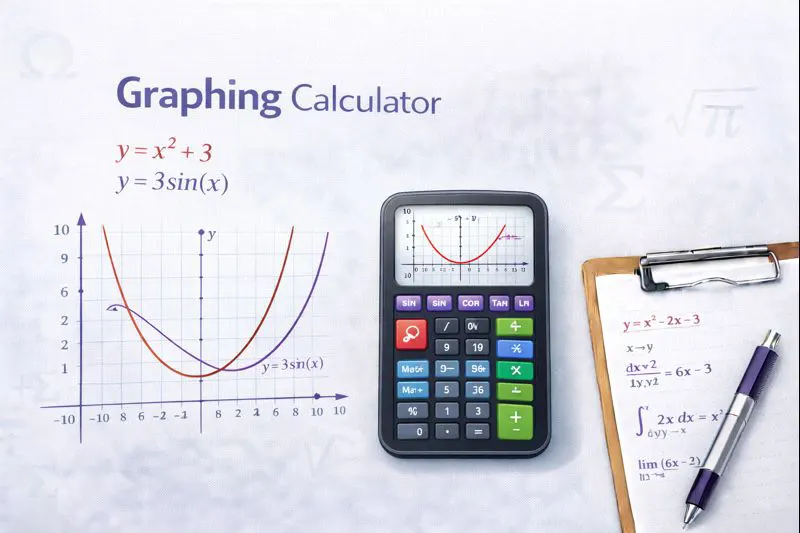
Your Complete Function Plotting Solution
A graphing calculator is an essential tool for anyone working with mathematical functions, from simple linear equations to complex trigonometric and polynomial expressions. This Online Calculator UAE tool allows you to visualize relationships between variables, identify key features like intercepts and maxima, and understand how changing parameters affects graph shapes.
Key Benefits:
- Multiple Function Plotting: Graph up to 5 different equations simultaneously for comparison
- Interactive Zoom & Pan: Explore specific regions of your graph with precision controls
- Automatic Feature Detection: Instantly find x-intercepts, y-intercepts, and critical points
- Export Capabilities: Download your graphs as PNG images for reports and presentations
Built with accuracy as the priority, this calculator uses advanced algorithms to render smooth curves and handle asymptotes correctly. Whether you're preparing for mathematics examinations at institutions across the UAE or working on research at universities in Dubai or Abu Dhabi, this tool provides the reliability you need.
Advanced Graphing Calculator Widget for WordPress Elementor Copy and paste this entire code into an Elementor HTML widget Quick Function Buttons Function Inputs Window Settings Control Buttons Canvas with Controls Legend Analysis Results Instructions
How the Graphing Calculator Works
Understanding the methodology behind function graphing helps you use this tool more effectively. The calculator employs computational techniques to evaluate and render mathematical expressions accurately.
Function Parsing and Evaluation
When you enter an equation like y = 2x² + 3x - 5, the calculator first parses the expression into a mathematical tree structure. It then evaluates this function at thousands of points across your selected viewing window, typically calculating 1,000+ coordinate pairs to ensure smooth curve representation.
Rendering Process
The plotting algorithm follows these steps:
- Input Processing: Your equation is validated and converted into executable mathematical operations
- Point Calculation: The function evaluates y-values for each x-coordinate within the viewing range
- Discontinuity Detection: The system identifies vertical asymptotes and undefined regions
- Curve Drawing: Calculated points connect using optimized interpolation for smooth visualization
- Feature Analysis: Critical points, intercepts, and extrema are computed and marked
Supported Function Types
This graphing calculator handles a comprehensive range of mathematical expressions:
- Polynomial functions: Linear, quadratic, cubic, and higher degree expressions
- Trigonometric functions: sin(x), cos(x), tan(x), and their inverses
- Exponential and logarithmic: e^x, ln(x), log(x), and custom bases
- Rational functions: Expressions involving division with proper asymptote handling
- Absolute value and piecewise: Functions with conditional definitions
For complex polynomial operations, you might also find our polynomial computation tool helpful when working with coefficient manipulation.
Example 1: Analyzing a Quadratic Function
Scenario: Fatima, a grade 11 student at a school in Sharjah, needs to analyze the projectile motion equation for her physics assignment.
Function: h(t) = -4.9t² + 15t + 2
This equation represents the height (in meters) of a ball thrown upward, where t is time in seconds.
Step-by-step analysis:
- Enter the function: -4.9*x^2 + 15*x + 2 (using x instead of t)
- Set the viewing window: x from 0 to 4, y from 0 to 15
- The graph reveals a downward-opening parabola
Results from the graph:
- Initial height: 2 meters (y-intercept)
- Maximum height: Approximately 13.47 meters at t ≈ 1.53 seconds
- Time to ground: Approximately 3.19 seconds (positive x-intercept)
For solving the exact vertex coordinates, consider using the quadratic equation solver.
Example 2: Comparing Linear Functions
Scenario: Ahmed, a business analyst at a company in DIFC, needs to compare cost projections from two vendors.
- Vendor A: y = 500x + 15000 (AED 500 per unit plus AED 15,000 setup)
- Vendor B: y = 750x + 8000 (AED 750 per unit plus AED 8,000 setup)
Analysis process:
- Enter both functions in the graphing calculator
- Set viewing window: x from 0 to 100 units, y from 0 to 80,000 AED
- Identify the intersection point where costs are equal
Results:
- Break-even point: At 28 units, both vendors cost AED 29,000
- Below 28 units: Vendor B is more economical
- Above 28 units: Vendor A becomes the better choice
For solving linear equation systems algebraically, our equation solving tool provides step-by-step solutions.
Example 3: Trigonometric Wave Analysis
Scenario: Dr. Hassan, an electrical engineering lecturer at a UAE university, demonstrates AC voltage patterns to students.
Function: V(t) = 311sin(100πt)
This represents UAE standard household voltage (220V RMS, 50Hz).
Graphing setup:
- Enter: 311*sin(100*π*x)
- Set x-axis from 0 to 0.04 seconds (two complete cycles)
- Set y-axis from -350 to 350 volts
Observations from the graph:
- Peak voltage: ±311 volts (amplitude)
- Period: 0.02 seconds (1/50 Hz)
- Frequency: 50 Hz (standard UAE electrical frequency)
- Zero crossings: Every 0.01 seconds
For calculating related calculus operations on periodic functions, additional tools are available.
Viewing Window Selection
The viewing window significantly impacts graph interpretation. A poorly chosen window might hide critical features or misrepresent the function's behavior. Start with the default window (-10 to 10) for most functions, then adjust based on what you need to see.
Common Mistakes to Avoid
- Incorrect syntax: Write multiplication explicitly (2*x, not 2x)
- Parentheses errors: Ensure proper grouping, especially with fractions
- Domain restrictions: Remember that functions like √x and ln(x) have limited domains
- Asymptote confusion: Vertical lines in graphs of rational functions are not part of the function
Tips for Better Graph Analysis
- Use zoom strategically: Start wide to see overall shape, then zoom to specific regions
- Compare multiple functions: Use different colors to distinguish overlapping graphs
- Check special points: Verify intercepts and turning points with algebraic calculation
- Consider symmetry: Even functions (f(-x) = f(x)) are symmetric about the y-axis
When analyzing statistical data alongside function graphs, our statistical analysis calculator complements your mathematical toolkit.
Start Graphing Your Functions Now
Transform abstract equations into visual understanding with this free graphing calculator. Whether you're studying for exams, preparing presentations, or exploring mathematical concepts, the ability to visualize functions accelerates comprehension and reveals insights that numbers alone cannot convey.
Bookmark this page to access instant function plotting whenever you need it. For comprehensive mathematical support, explore the full range of tools available in our mathematics and scientific section.
Questions about using the calculator? The interface includes helpful tooltips, and most functions work intuitively with standard mathematical notation.
Related Mathematical Tools
- Derivative Calculator – Compute first and higher-order derivatives with steps
- Integral Calculator – Solve definite and indefinite integrals
- Limit Calculator – Evaluate function limits at specific points
- Matrix Calculator – Perform matrix operations and transformations
- Algebra Calculator – Simplify and solve algebraic expressions
- Standard Deviation Calculator – Analyze statistical distributions