 OnlineCalculator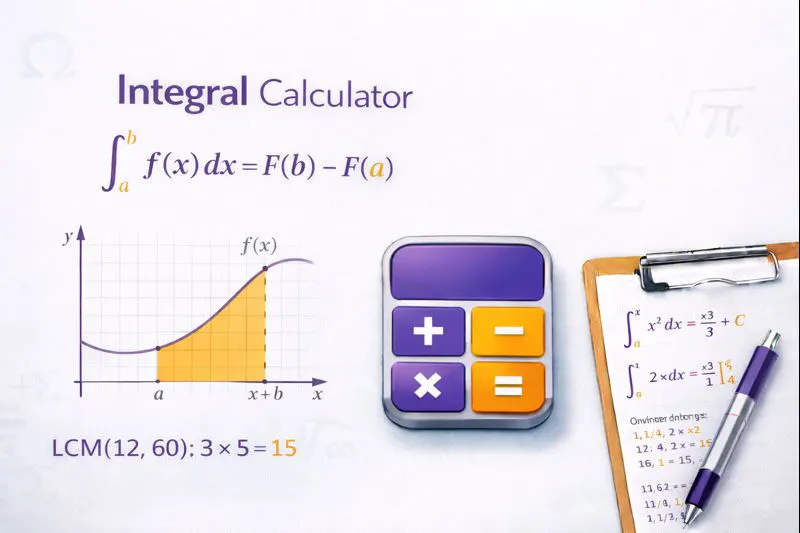
Why Use This Integration Calculator?
Integration is one of the two fundamental operations in calculus, alongside differentiation. Finding integrals manually requires memorizing numerous formulas and applying various techniques—from basic power rules to complex substitution methods. Our integral calculator simplifies this process by handling the heavy lifting while teaching you the methodology.
This tool solves both (antiderivatives) and (with upper and lower bounds). It supports polynomial, trigonometric, exponential, logarithmic, and rational functions.
Key benefits of this calculator:
- – understand the method, not just the answer
- Multiple integration techniques – handles substitution, integration by parts, partial fractions, and more
- Instant verification – check your manual calculations in seconds
- Educational focus – perfect for learning and exam preparation
Students at universities in Dubai, Abu Dhabi, and across the UAE frequently use this tool alongside their coursework. The calculator follows standard mathematical notation and provides results compatible with academic requirements.
ADVANCED INTEGRAL CALCULATOR WIDGET For WordPress Elementor HTML Widget Copy entire code below and paste into Elementor HTML widget
How the Integral Calculator Works
Our integral calculator uses symbolic computation algorithms to analyze your input function and determine the most appropriate integration technique. The process mirrors what you'd do manually, but with computational precision and speed.
Understanding Integration Methods
The calculator applies these core techniques based on the function structure:
Power Rule: For functions in the form xn, the integral equals x/(n+1) + C, where n ≠ -1. This fundamental rule handles most polynomial expressions.
Substitution Method (u-substitution): When a function contains a composite structure, the calculator identifies an inner function to substitute, simplifying the integral into a more manageable form.
Integration by Parts: For products of functions, the calculator applies the formula ∫u dv = uv - ∫v du, strategically choosing which part to differentiate and which to integrate.
Trigonometric Integration: Special rules apply for sine, cosine, tangent, and their combinations, including half-angle formulas and trigonometric identities.
Step-by-Step Process
When you enter a function, the calculator:
- Parses your input and converts it to mathematical notation
- Analyzes the function structure to identify the optimal technique
- Applies the appropriate integration rules
- Simplifies the result algebraically
- Adds the constant of integration (for indefinite integrals)
- Evaluates at bounds (for definite integrals)
For definite integrals, the calculator computes F(b) - F(a), where F is the antiderivative and [a, b] represents your integration bounds. The result is a numerical value representing the area under the curve.
Need help with finding derivatives first? Many integration problems require understanding the inverse relationship between differentiation and integration.
Practical Examples with Full Solutions
These examples demonstrate how the calculator handles different integration scenarios. Follow along to verify your own calculations.
Example 1: Basic Polynomial Integration
Problem: A physics student at Khalifa University needs to find the position function of an object with velocity v(t) = 3t² + 2t - 5.
Input: ∫(3t² + 2t - 5) dt
Step-by-step solution:
- Apply power rule to each term separately
- ∫3t² dt = 3 × (t³/3) = t³
- ∫2t dt = 2 × (t²/2) = t²
- ∫-5 dt = -5t
Final Result: t³ + t² - 5t + C
The constant C represents the initial position at t = 0. If the object starts at position 10 meters, then C = 10, giving the complete position function s(t) = t³ + t² - 5t + 10.
Example 2: Definite Integral with Trigonometric Function
Problem: An electrical engineering student needs to calculate the average value of a sinusoidal signal over one quarter period.
Input: ∫₀^(π/2) sin(x) dx
Step-by-step solution:
- Antiderivative of sin(x) = -cos(x)
- Evaluate at upper bound: -cos(π/2) = -0 = 0
- Evaluate at lower bound: -cos(0) = -1
- Calculate: 0 - (-1) = 1
Final Result: 1
This value represents the exact area under the sine curve from 0 to π/2, useful for calculating RMS values and signal processing applications.
Example 3: Integration by Substitution
Problem: A data analyst working in DIFC needs to evaluate a probability density function involving an exponential term.
Input: ∫2x × e^(x²) dx
Step-by-step solution:
- Recognize the substitution opportunity: let u = x²
- Then du = 2x dx (which matches our integrand exactly)
- Rewrite: ∫e^u du
- Integrate: e^u + C
- Substitute back: e^(x²) + C
Final Result: e^(x²) + C
You can verify this by taking the derivative of the result, which should return the original function 2x × e^(x²).
Important Information About Integration
Understanding these key concepts will help you use the calculator effectively and interpret results correctly.
Constant of Integration
Every indefinite integral includes "+ C" because differentiation eliminates constants. If F'(x) = f(x), then (F(x) + 5)' = f(x) and (F(x) - 100)' = f(x). The constant C represents this family of solutions. For definite integrals, the constants cancel during evaluation.
Functions That Cannot Be Integrated Analytically
Some functions have no closed-form antiderivative using elementary functions. Examples include e^(-x²) (the Gaussian integral), sin(x)/x (the sine integral), and 1/ln(x) (the logarithmic integral). For these cases, the calculator may provide numerical approximations for definite integrals or express results using special functions.
Common Mistakes to Avoid
- Forgetting the constant C – always include it for indefinite integrals in academic work
- Incorrect bounds order – ensure you enter lower bound first, then upper bound
- Missing parentheses – use proper grouping for complex expressions like sin(2x+1)
- Confusing e and E – the calculator recognizes "e" as Euler's number (≈2.71828)
When to Use Numerical vs. Symbolic Integration
Use symbolic integration (what this calculator provides) when you need exact answers or formulas. Use numerical integration when dealing with measured data, complex functions without closed-form solutions, or when only an approximate decimal value is required.
For related calculations, explore our limit solver to understand function behavior at boundaries, or the differential equation tool for more advanced applications.
Start Solving Integrals Now
Enter your function in the calculator above and get instant results with complete solution steps. Whether you're verifying homework, preparing for examinations, or solving real-world engineering problems, this tool helps you work faster and understand better.
For comprehensive calculus resources, visit the Mathematical Tools section of our site. Need additional help? The step-by-step breakdowns teach the methodology you need for manual problem-solving.
This calculator is provided free for educational use. Results are intended for learning and verification purposes. For mission-critical engineering calculations, always cross-verify with professional software or manual computation.