 OnlineCalculator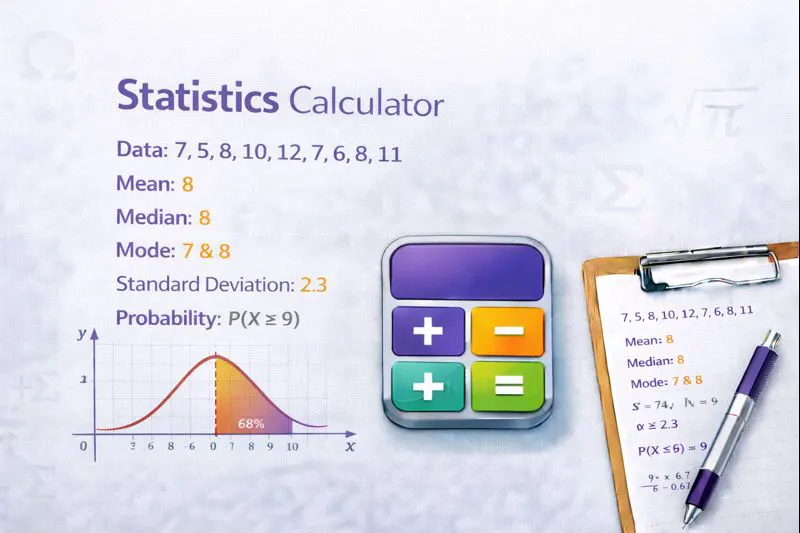
What This Statistics Calculator Does
This comprehensive processes your numerical data and returns all essential descriptive statistics at once. Simply enter your numbers, and the calculator handles the complex formulas behind the scenes.
Key benefits of using our calculator:
- All-in-one analysis – Get mean, median, mode, range, variance, and standard deviation from a single input
- Instant results – No manual calculations or spreadsheet formulas required
- Step-by-step breakdown – See exactly how each value is computed
- 100% free – No registration, no limits, no hidden fees
Built with accuracy as the priority, this tool uses the same formulas taught in universities and applied in professional research. Whether you're working with five numbers or five hundred, the Online Calculator UAE platform delivers reliable results you can trust for academic submissions, business reports, or personal projects.
ADVANCED STATISTICS CALCULATOR WIDGET For WordPress Elementor HTML Widget Copy this entire code into an HTML widget
How the Statistics Calculator Works
The calculator applies standard statistical formulas to your dataset. Understanding these formulas helps you interpret results correctly and explain your analysis to others.
The represents the central value of your data. Add all numbers together, then divide by how many numbers you have.
Formula: Mean = (Sum of all values) ÷ (Number of values)
Median (Middle Value)
The is the middle number when values are arranged in order. For datasets with an even count, it's the average of the two middle numbers. The median resists outliers better than the mean.
Mode (Most Frequent)
The identifies which value appears most often. A dataset can have one mode, multiple modes, or no mode if all values appear equally.
Variance measures how spread out your data is from the mean. Higher variance indicates greater dispersion. For sample data, the calculator uses the sample variance formula (dividing by n-1), which provides an unbiased estimate for populations.
Formula: Variance = Σ(xi - mean)² ÷ (n - 1)
The is the square root of variance, expressed in the same units as your original data. This makes it easier to interpret than variance. Our deviation analysis tool provides additional context for this metric.
Important note: The calculator distinguishes between population and sample statistics. For most real-world applications where you're analyzing a subset of data, sample statistics (using n-1) are appropriate.
Example 1: Analyzing Monthly Sales Data
Scenario: Fatima manages a retail store in Dubai Marina. She wants to analyze daily sales figures from last week to understand typical performance and variability.
Input values (AED): 12,500 | 15,200 | 11,800 | 18,900 | 14,300 | 16,700 | 13,600
Step-by-step calculation:
- Sum: 12,500 + 15,200 + 11,800 + 18,900 + 14,300 + 16,700 + 13,600 = 103,000
- Mean: 103,000 ÷ 7 = AED 14,714.29
- Ordered data: 11,800 | 12,500 | 13,600 | 14,300 | 15,200 | 16,700 | 18,900
- Median: Fourth value = AED 14,300
- Mode: No mode (all values unique)
- Variance: 6,180,952.38
- Standard Deviation: AED 2,486.15
Interpretation: Fatima's store averages about AED 14,714 daily. The standard deviation of AED 2,486 indicates moderate day-to-day variation, which is typical for retail.
Example 2: Student Exam Scores
Scenario: Professor Ahmed at a DIFC-based business school needs to analyze midterm scores for his finance class of 10 students.
Input values (out of 100): 78 | 85 | 92 | 78 | 88 | 95 | 72 | 85 | 78 | 90
Results:
- Mean: 841 ÷ 10 = 84.1
- Median: (85 + 85) ÷ 2 = 85
- Mode: 78 (appears 3 times)
- Standard Deviation: 7.37
Interpretation: The class performed well with an average of 84.1. The mode of 78 suggests a cluster of students who might benefit from additional support. Need to work with percentile calculations? Check our related tool.
Example 3: Handling Outliers in Real Estate Data
Scenario: Omar, a real estate analyst on Yas Island, is reviewing rental prices for one-bedroom apartments in a specific building.
Input values (monthly rent in AED): 4,500 | 4,800 | 4,600 | 4,700 | 12,000 | 4,550
Results:
- Mean: AED 5,858.33
- Median: AED 4,650
- Mode: No mode
Key insight: The AED 12,000 outlier (likely a luxury penthouse unit) significantly inflates the mean. The median of AED 4,650 better represents typical rents in this building. This example demonstrates why understanding both measures matters.
Choosing the Right Measure of Central Tendency
Use the when your data is symmetrically distributed without extreme outliers. It works best for interval and ratio data like temperatures, test scores, or profits.
Choose the when outliers exist or your data is skewed. Salary data, property prices, and response times typically benefit from median analysis.
Apply the for categorical data or when identifying the most common outcome matters—such as most popular product sizes or most frequent customer complaints.
Common Mistakes to Avoid
- Mixing data types: Don't combine AED values with USD values or different measurement units
- Ignoring sample size: Small datasets (under 30 values) produce less reliable statistics
- Forgetting context: A "high" standard deviation depends entirely on what you're measuring
- Misinterpreting mode: "No mode" doesn't mean your data is problematic—it simply means no value repeats
Professional Tips
When preparing data for analysis, remove any text or special characters. Ensure all values use consistent formatting—especially when working with financial figures. If you're analyzing data with many decimal values, maintain precision throughout your calculations.
For business reporting in the UAE, consider presenting both mean and median when dealing with salary data or property values, as stakeholders often want both perspectives.
Start Your Statistical Analysis Now
Enter your numbers in the calculator above and get instant results. Whether you're working on university coursework, business analytics, or research projects, accurate statistical analysis is just a click away.
For additional mathematical tools, explore the Scientific & Math calculators section. Need to find common factors for data grouping? Try the highest common factor tool. Working with probability distributions? Our likelihood calculator complements your statistical toolkit.
All tools on this platform are free, require no registration, and deliver results you can trust.