 OnlineCalculator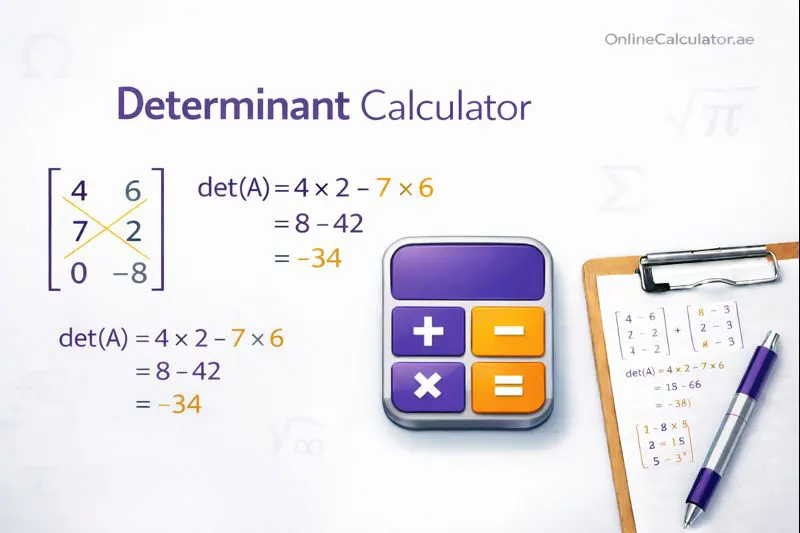
What Is a Determinant Calculator?
A determinant calculator is a specialized mathematical tool that computes the determinant of a square matrix—a scalar value that reveals essential properties about linear transformations and systems of equations. Our Online Calculator UAE provides this functionality for matrices ranging from simple 2x2 up to complex 10x10 configurations.
The determinant tells you whether a matrix is invertible, helps solve linear systems using Cramer's Rule, and measures how transformations scale areas or volumes. Our tool handles all the computation while showing you every step.
Key Benefits
- Supports Multiple Sizes: Calculate determinants for 2x2, 3x3, 4x4, 5x5, and up to 10x10 matrices
- Step-by-Step Solutions: Understand the calculation process with detailed breakdowns
- Instant Results: Get accurate answers in milliseconds, no manual calculation required
- Educational Value: Learn cofactor expansion and row reduction methods through worked examples
Trusted by thousands of students and professionals, this determinant solver uses proven algorithms to ensure mathematical accuracy. The calculations follow standard linear algebra conventions used in textbooks and academic institutions worldwide.
Advanced Determinant Calculator Widget for WordPress Elementor Copy this entire code into an Elementor HTML Widget | |
— — —
The Mathematical Foundation
Determinants are calculated differently based on matrix size. For a 2x2 matrix, the formula is straightforward:
det(A) = (a × d) − (b × c)
Where the matrix A contains elements a, b in the first row and c, d in the second row.
Calculating Larger Matrices
For 3x3 matrices and beyond, our calculator uses cofactor expansion (also called Laplace expansion). This method expands along a row or column, multiplying each element by its corresponding cofactor and summing the results.
The cofactor of an element equals the minor (determinant of the submatrix formed by deleting that element's row and column) multiplied by a sign factor based on position: positive when the row plus column index is even, negative when odd.
Step-by-Step Process
When you enter a matrix, the calculator:
- Validates that the matrix is square (equal rows and columns)
- Selects the optimal row or column for expansion (typically the one with zeros)
- Calculates each cofactor by finding minors recursively
- Applies the alternating sign pattern (+, −, +, −...)
- Multiplies elements by their cofactors and sums the results
Important Considerations
A determinant of zero indicates a singular matrix that cannot be inverted. This happens when matrix rows or columns are linearly dependent. A non-zero determinant confirms the matrix is invertible and represents a transformation that doesn't collapse dimensions.
For computational efficiency with larger matrices, the calculator may also use LU decomposition, where the determinant equals the product of diagonal elements in the upper triangular matrix. If you need to work with related calculations, our matrix operations tool provides additional functionality.
Example 1: Basic 2x2 Matrix
Scenario: A physics student needs to determine if a transformation matrix representing a rotation and scaling operation is invertible.
Matrix Input:
    | 4   3 |
    | 6   8 |
Step-by-Step Calculation:
Using the formula det(A) = ad − bc:
- a = 4, b = 3, c = 6, d = 8
- det(A) = (4 × 8) − (3 × 6)
- det(A) = 32 − 18
- det(A) = 14
Result: The determinant is 14. Since this is non-zero, the matrix is invertible, and the transformation preserves dimension. The absolute value indicates the transformation scales areas by a factor of 14.
Example 2: 3x3 Matrix Using Cofactor Expansion
Scenario: An engineering student solving a system of three equations with three unknowns needs to find the coefficient matrix determinant to apply Cramer's Rule.
Matrix Input:
    | 2   1   3 |
    | 0   4   5 |
    | 1   0   2 |
Step-by-Step Calculation:
Expanding along the first row:
- det(A) = 2 × C₁₁ − 1 × C₁₂ + 3 × C₁₃
- C₁₁ = det|4 5; 0 2| = (4×2) − (5×0) = 8
- C₁₂ = det|0 5; 1 2| = (0×2) − (5×1) = −5
- C₁₃ = det|0 4; 1 0| = (0×0) − (4×1) = −4
- det(A) = 2(8) − 1(−5) + 3(−4)
- det(A) = 16 + 5 − 12
- det(A) = 9
Result: The determinant equals 9. This confirms the system has a unique solution, and Cramer's Rule can be applied. The related equation solving tool can help verify solutions.
Example 3: Singular Matrix (Determinant = 0)
Scenario: A data analyst checking if a correlation matrix is invertible before performing regression analysis.
Matrix Input:
    | 1   2   3 |
    | 4   5   6 |
    | 7   8   9 |
Step-by-Step Calculation:
Expanding along the first row:
- C₁₁ = det|5 6; 8 9| = 45 − 48 = −3
- C₁₂ = det|4 6; 7 9| = 36 − 42 = −6
- C₁₃ = det|4 5; 7 8| = 32 − 35 = −3
- det(A) = 1(−3) − 2(−6) + 3(−3)
- det(A) = −3 + 12 − 9
- det(A) = 0
Result: The determinant is , making this a singular matrix. It cannot be inverted, and any system using this coefficient matrix has either no solution or infinitely many solutions. Notice that the third row equals the first row plus twice the second row minus itself—demonstrating linear dependence.
When Determinants Matter
Determinants serve crucial roles across multiple disciplines. In linear algebra, they determine matrix invertibility. In calculus, Jacobian determinants enable variable substitution in multiple integrals. Engineers use them for stress tensor analysis, while economists apply them in input-output models.
Properties to Remember
- Transpose Rule: det(A) = det(Aᵀ) — a matrix and its transpose share the same determinant
- Multiplication Rule: det(AB) = det(A) × det(B) — determinant of a product equals the product of determinants
- Inverse Relationship: det(A⁻¹) = 1/det(A) — provided A is invertible
- Row Operations: Swapping rows changes the sign; multiplying a row by k multiplies the determinant by k
Common Mistakes to Avoid
Non-square matrices: Determinants only exist for square matrices. If your matrix has different row and column counts, you're looking at a different calculation entirely.
Sign errors in cofactors: The checkerboard pattern (+−+−...) starts with positive in the top-left corner. Many students forget to alternate signs correctly.
Confusing determinant with trace: The trace (sum of diagonal elements) is a different matrix property. They're related but not interchangeable.
Expert Tips
When calculating by hand, always expand along the row or column with the most zeros—this minimizes computation. For numerical stability with large matrices, row reduction to upper triangular form (where the determinant equals the diagonal product) often works better than cofactor expansion.
For probability calculations involving matrices, check our statistical probability tools section.
Start Calculating Determinants Now
Enter your matrix values above and get instant, accurate results with complete solution steps. Whether you're verifying homework, checking research calculations, or exploring linear algebra concepts, our determinant calculator delivers the answers you need.
Explore more Mathematical & Scientific calculators for additional tools covering algebra, calculus, statistics, and beyond. Bookmark this page for quick access whenever matrix calculations arise.
Related Mathematical Tools
- Matrix Calculator – Perform matrix operations including multiplication, inverse, and transpose
- Algebra Solver – Solve algebraic equations and simplify expressions
- Equation Calculator – Find solutions to linear and polynomial equations
- Polynomial Calculator – Add, multiply, and factor polynomial expressions
- Integration Calculator – Compute definite and indefinite integrals
- Statistics Calculator – Calculate mean, median, mode, and standard deviation