 OnlineCalculator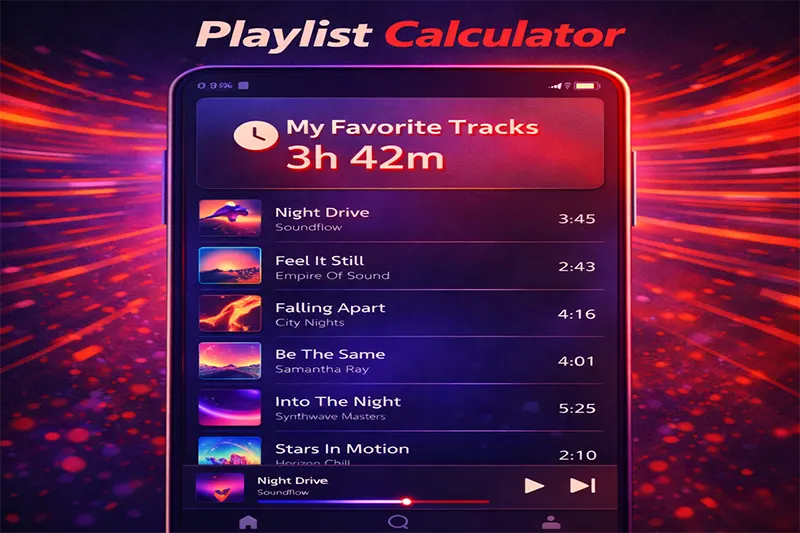
What Is the Playlist Calculator?
is a free online tool that adds up the duration of every track in your playlist and returns the total running time. Instead of manually tallying song lengths on a notepad, you enter each track's duration (or an average duration with a track count), and the calculator handles the math instantly.
Here's why thousands of users rely on it every month:
- Accurate totals — calculates hours, minutes, and seconds without rounding errors.
- Playback speed support — adjusts for 1.25×, 1.5×, or 2× speed so podcast and audiobook listeners get a true estimate.
- Bulk entry — enter an average track length plus the number of tracks for quick estimates of large playlists.
- Completely free — no sign-ups, no ads cluttering the result, and works on any device.
This tool is built and maintained by Online Calculator UAE, a platform trusted for delivering accurate, easy-to-use calculators across dozens of categories. You can explore more tools under our Love & Entertainment section.
Advanced Playlist Calculator Widget — WordPress Elementor HTML Widget Paste this entire code into an Elementor "HTML" widget Mode Toggle Track-by-Track Mode Quick Estimate Mode :
× Calculate Button
The Core Formula
At its simplest, the calculator adds durations together:
Total Duration = Track 1 Duration + Track 2 Duration + … + Track N Duration
When you use the bulk method (average duration × number of tracks), the formula becomes:
Total Duration = Average Track Length × Number of Tracks
If you apply a playback speed modifier, the calculator divides the raw total by that speed:
Adjusted Duration = Total Duration ÷ Playback Speed
Step-by-Step Breakdown
Step 1 — Enter track durations. You can add individual tracks one by one (e.g., 3:45, 4:12, 5:01) or enter a single average duration paired with a track count.
Step 2 — Set playback speed (optional). Leave it at 1× for normal speed. Choose 1.25×, 1.5×, or 2× if you listen to podcasts or audiobooks at faster rates.
Step 3 — Click "Calculate." The tool instantly returns the total playlist length formatted as hours, minutes, and seconds.
Important Notes
The calculator does not account for gaps or silence between tracks, as these vary by platform (Spotify uses crossfade, YouTube has no gap, Apple Music has a brief pause). If precise gap timing matters — say, for a live event — add 2–3 seconds per track as a buffer.
Playback speed adjustments assume consistent speed across the entire playlist. If you switch speeds mid-listen, you'll need to calculate each segment separately. For estimating how long it takes to read content instead of listening, try our content reading time estimator.
Example 1: A DJ Preparing a Friday Brunch Set
Scenario: DJ Amir has been booked for a 3-hour Friday brunch at a Dubai Marina restaurant. He wants to confirm his playlist covers the full slot.
Input: 42 tracks with an average duration of 4 minutes 15 seconds (4.25 minutes) at normal playback speed (1×).
Calculation:
Total = 42 × 4 min 15 sec = 42 × 255 seconds = 10,710 seconds
Convert: 10,710 ÷ 3,600 = 2 hours 58 minutes 30 seconds
Result: Amir's playlist runs 2h 58m 30s — just shy of three hours. He should add 1–2 more tracks or extend a couple of mixes to fill the slot comfortably.
Example 2: A Podcast Listener Planning a Long Drive
Scenario: Fatima is driving from Abu Dhabi to Fujairah (roughly 2.5 hours). She listens to podcasts at 1.5× speed and wants to queue enough episodes.
Input: 5 podcast episodes — 38 min, 45 min, 52 min, 41 min, and 60 min — at 1.5× speed.
Calculation:
Raw total = 38 + 45 + 52 + 41 + 60 = 236 minutes
At 1.5× speed: 236 ÷ 1.5 = 157.3 minutes ≈ 2 hours 37 minutes
Result: At 1.5× speed, Fatima's five episodes will last 2h 37m — enough for the drive with a small buffer. If you're curious how fast your commute content plays, our video playback speed tool can help with video-specific calculations.
Example 3: A Fitness Trainer Building a HIIT Playlist
Scenario: Coach Ravi runs 45-minute HIIT classes at a Yas Island gym. He needs the music to match the session length precisely — no awkward silence at the end, no track cutting mid-song.
Input: 12 high-energy tracks with these exact durations: 3:30, 3:45, 4:00, 3:15, 3:50, 4:10, 3:40, 3:55, 4:05, 3:25, 3:35, and 3:50.
Calculation:
Convert each to seconds and add: 210 + 225 + 240 + 195 + 230 + 250 + 220 + 235 + 245 + 205 + 215 + 230 = 2,700 seconds
Convert: 2,700 ÷ 60 = 45 minutes exactly
Result: The playlist runs 45m 0s — a perfect match. Coach Ravi can confidently hit play knowing the music ends right when the session does.
Platform Differences
Streaming services handle track transitions differently. Spotify's crossfade can overlap tracks by up to 12 seconds, effectively shortening total playtime. YouTube often inserts a 1–2 second buffer plus potential ad breaks between videos. Apple Music and Anghami use a brief silence gap. Factor these in if your timing needs to be exact.
Live Event Planning
If you're using the calculator to plan music for an event, wedding, or corporate function, always build in a 10–15% buffer. Unexpected pauses — emcee announcements, technical glitches, crowd interaction — eat into playtime faster than you'd expect.
Common Mistakes to Avoid
- Forgetting intro/outro silence — Many tracks have 5–15 seconds of silence at the beginning or end that still counts toward duration.
- Mixing up minutes and seconds — Entering "3.5" when you mean 3 minutes 30 seconds (3:30) instead of 3 minutes 50 seconds. The calculator treats decimals as fractions of a minute, so 3.5 = 3m 30s.
- Ignoring playback speed effects on pitch — While the calculator handles time accurately, note that playing music above 1× speed may distort audio quality. This is mainly relevant for spoken-word content.
Pro Tips
Pair the Playlist Calculator with our daily screen usage tracker if you're trying to manage how much time you spend on media each day. Knowing your playlist length helps you set healthy listening limits — especially useful for parents monitoring children's screen and device time.
Start Calculating Your Playlist Duration Now
Scroll up, enter your track details, and get an instant total. Whether you're planning a party, a road trip, or a gym session, knowing your exact playlist length saves time and prevents surprises. For more handy tools — from running pace calculations to point-to-point distance measurement — explore the full suite at Online Calculator UAE.