 OnlineCalculator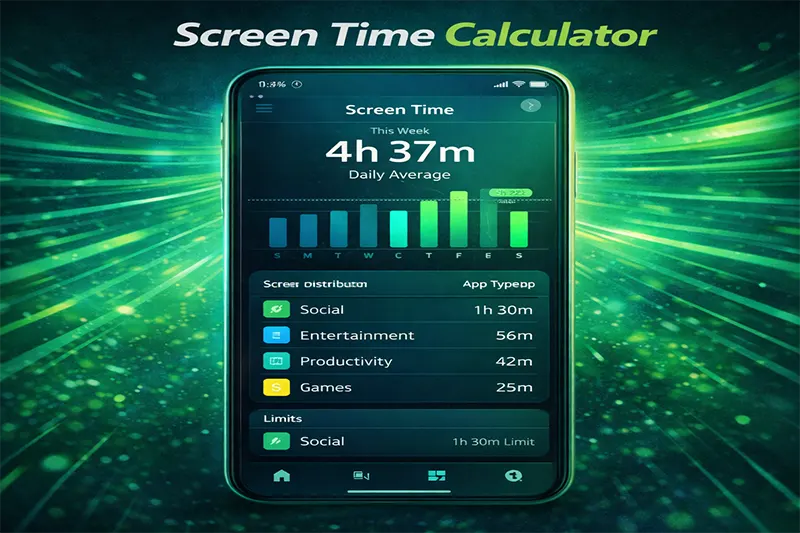
What Does the Screen Time Calculator Do?
The screen time calculator adds up every hour you spend across all your devices — smartphones, laptops, desktops, TVs, tablets, and gaming consoles — and converts the total into daily, weekly, monthly, and yearly estimates. It also shows what percentage of your waking hours are consumed by screens and projects how much lifetime screen time you'll accumulate at your current pace.
Here's why thousands of users rely on it:
- Awareness: See your real digital consumption in hard numbers — no guesswork.
- Goal setting: Compare your usage against recommended limits from the World Health Organization and other health bodies.
- Family planning: Evaluate screen exposure for children and teenagers before setting household rules.
- Productivity boost: Identify which devices eat the most time so you can make targeted changes.
The methodology is straightforward: input your average daily usage per device, and the calculator does the arithmetic instantly. No sign-ups, no tracking — just honest data you can act on. For more handy tools, explore Online Calculator UAE.
Screen Time Calculator Widget – Paste into Elementor HTML Widget Header Tabs TAB 1: Input 📱
💻
📺
📋
🎮 Settings TAB 2: Results
📊
TAB 3: Goals
🎯
Inputs You Provide
You enter the average hours per day you spend on each device category. The default categories are smartphone, laptop/desktop, television, tablet, and gaming console. You can adjust any value from 0 to 24 hours. You also enter your average sleep hours (default 8) so the calculator can compute your waking-hours percentage.
The Formula
The core calculation is simple addition and multiplication:
Total Daily Screen Time = Smartphone hrs + Laptop hrs + TV hrs + Tablet hrs + Gaming hrs
From there:
- Weekly = Daily × 7
- Monthly = Daily × 30.44 (average days per month)
- Yearly = Daily × 365
- Waking-hours % = (Daily Screen Time ÷ (24 − Sleep Hours)) × 100
- Lifetime projection = Yearly total × estimated remaining years (based on an average global life expectancy of 73 years, adjustable)
What the Results Tell You
A healthy adult benchmark is roughly 2–4 hours of leisure screen time per day, according to multiple health studies. Work-related screen time is harder to reduce, but knowing the split helps you target discretionary use. If your waking-hours percentage exceeds 60%, the calculator flags it with a warning — a signal to re-evaluate your habits.
Important caveat: This calculator estimates averages. Your actual usage fluctuates daily. For precise tracking, pair these results with your phone's built-in screen time reports (iOS Screen Time or Android Digital Wellbeing).
Example 1: Office Professional in Dubai
Persona: Rania, 32, works as a marketing manager in DIFC. She uses a laptop for work and scrolls her phone during commutes and evenings.
| Device | Daily Hours |
|---|---|
| Laptop/Desktop | 8.0 |
| 1.5 |
Total Daily: 13.0 hours | Weekly: 91.0 hours | Yearly: 4,745 hours
Waking-hours %: 13.0 ÷ (24 − 7) = 76.5% of her awake time is on screens.
Rania's work screen time is largely unavoidable, but cutting her phone usage by just 1 hour would free up 365 hours a year — that's over 15 full days reclaimed. Curious about how quickly she reads through those morning news feeds? Try the estimated reading duration tool.
Example 2: Teenager on Summer Break
Persona: Khalid, 16, spends summer in Abu Dhabi gaming, watching YouTube, and chatting with friends.
| Device | Daily Hours |
|---|---|
| 5.0 | |
| Laptop/Desktop | |
| 1.5 |
Total Daily: 13.5 hours | Weekly: 94.5 hours | Yearly: 4,927.5 hours
Waking-hours %: 13.5 ÷ (24 − 9) = 90.0%
At 90% of waking hours, Khalid is spending almost every conscious minute on a device. The WHO recommends at least 60 minutes of daily physical activity for adolescents. Parents can use results like these to set structured, evidence-based limits. If Khalid's gaming sessions include long playlists, the music playlist length estimator can help plan offline time around them.
Example 3: Retiree with Moderate Usage
Persona: George, 68, lives in Sharjah and uses his tablet for news, a smartphone for calls and WhatsApp, and watches TV in the evening.
| Device | Daily Hours |
|---|---|
| 1.5 | |
| Laptop/Desktop | 0.5 |
| 3.0 |
Total Daily: 7.0 hours | Weekly: 49.0 hours | Yearly: 2,555 hours
Waking-hours %: 7.0 ÷ (24 − 8) = 43.8%
George's usage sits within a more moderate range. His TV consumption is the largest chunk. Swapping one hour of evening television for a walk along the Sharjah Corniche would lower his percentage below 40% and add meaningful physical activity to his day.
What the Research Says
Extended screen exposure is linked to digital eye strain, disrupted sleep patterns (especially from blue light after 9 PM), reduced physical activity, and increased anxiety in children. The American Academy of Pediatrics recommends no more than 1 hour per day for children aged 2–5 and consistent limits for older kids.
Common Mistakes to Avoid
- Forgetting work screens: Many people only count leisure time and underestimate total exposure by 40–60%.
- Ignoring background TV: If the television is on while you cook or eat, it still counts as screen time.
- Assuming all screen time is equal: A video call with family and doom-scrolling social media affect your wellbeing very differently.
Expert Tips for Reducing Screen Time
- Use the 20-20-20 rule: Every 20 minutes, look at something 20 feet away for 20 seconds.
- Set device-specific curfews — no phones after 10 PM, for instance.
- Replace 30 minutes of scrolling with a short walk or exercise. Use a walking pace estimator to plan an active break that fits your schedule.
- Turn off non-essential notifications to reduce compulsive pickups.
- Designate one screen-free meal per day as a household rule.
Take Control of Your Digital Day
Scroll back up and enter your numbers. It takes less than 30 seconds. Once you see your totals, pick one device and cut it by 30 minutes this week. Small changes compound — 30 minutes a day equals 182 hours a year. That's time you could spend exercising, learning a new skill, or simply being present with the people around you.
For more tools to measure and manage how you spend your time, visit the Life & Leisure tools collection on Online Calculator UAE.