 OnlineCalculator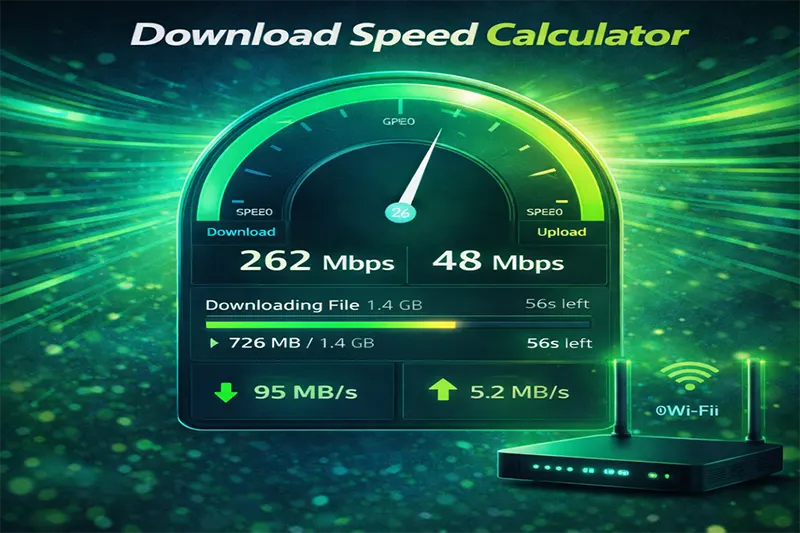
What Does the Download Speed Calculator Do?
This calculator takes two simple inputs — your (in Mbps, Gbps, or Kbps) and your (in MB, GB, or TB) — and tells you exactly how long the download will take. It accounts for the difference between megabits and megabytes, a common source of confusion that leads to inaccurate estimates.
Here's why thousands of users rely on it:
- Instant results — enter two values and get your download time in hours, minutes, and seconds
- Multiple unit support — works with Kbps, Mbps, Gbps, and file sizes from KB to TB
- Overhead adjustment — factors in real-world network overhead so estimates match reality
- Completely free — no sign-ups, no ads, no hidden costs
The formula behind this tool is based on standard data transfer calculations used by network engineers worldwide. Whether you're on a 50 Mbps home connection in Dubai Marina or a 1 Gbps fiber link at a DIFC office, the math is the same — and this calculator handles it for you. You can also explore other useful tools on Online Calculator UAE for everyday calculations.
DOWNLOAD SPEED CALCULATOR WIDGET — Paste into Elementor HTML Widget Header ⚡ Body File Size & Speed Inputs Overhead Slider Calculate Button Results Main Result — Stats Grid 📦 — 📡 — 📊 — Speed Comparison Table Visual Bars
The Core Formula
Every download time calculation follows this fundamental equation:
Download Time (seconds) = File Size (bits) ÷ Download Speed (bits per second)
The tricky part? Internet speeds are advertised in megabits per second (Mbps), while file sizes are displayed in megabytes (MB) or gigabytes (GB). There are 8 bits in 1 byte, so the conversion matters enormously.
Step-by-Step Breakdown
Step 1: Convert your file size to bits. Multiply the file size in megabytes by 8,388,608 (which is 8 × 1,048,576 bits per MB using binary calculation) — or simply multiply MB by 8 to convert to megabits for a quick estimate.
Step 2: Convert your internet speed to bits per second. If your speed is 100 Mbps, that equals 100,000,000 bits per second (or 100 × 1,000,000 using the standard SI definition ISPs use).
Step 3: Divide file size in bits by speed in bits per second. The result is your download time in seconds.
Step 4: Convert seconds to a readable format — hours, minutes, and seconds.
Important Caveats
actual download speed is almost never the full speed your ISP advertises. Network congestion, Wi-Fi interference, server-side throttling, and protocol overhead typically reduce real throughput by 10–20%. This calculator allows you to apply an optional overhead percentage for more realistic estimates. If you're curious about how different speeds affect your daily activities, a velocity and rate estimator can help you think about speed in broader contexts.
Also note that download speeds fluctuate throughout the day. Peak hours (evenings, weekends) in dense areas often see slower speeds than early mornings or midday.
Example 1: Downloading a Movie on Home Wi-Fi
Scenario: Fatima lives in Sharjah and has a 100 Mbps fiber connection from Etisalat. She wants to download a movie from a streaming platform.
Calculation:
- File size in megabits: 4.5 GB × 1,024 MB/GB × 8 = 36,864 megabits
- Speed: 100 Mbps
- Time = 36,864 ÷ 100 = 368.64 seconds
- Result: approximately 6 minutes and 9 seconds
With ~10% overhead for Wi-Fi, the realistic time is closer to 6 minutes 50 seconds. Fatima can start her movie in under 7 minutes.
Example 2: Downloading a Software Update at the Office
Scenario: Omar works at a tech firm in DIFC with a 500 Mbps wired business connection. He needs to download a 15 GB development toolkit.
Calculation:
- File size in megabits: 15 GB × 1,024 × 8 = 122,880 megabits
- Speed: 500 Mbps
- Time = 122,880 ÷ 500 = 245.76 seconds
- Result: approximately 4 minutes and 6 seconds
On a wired connection, overhead is minimal (~2–5%), so Omar's actual time should be very close to this estimate — around 4 minutes 15 seconds.
Example 3: Large Game Download on a Slower Connection
Scenario: Ahmed is visiting family in a rural area with only 10 Mbps DSL available. He wants to download a video game.
Calculation:
- File size in megabits: 75 GB × 1,024 × 8 = 614,400 megabits
- Speed: 10 Mbps
- Time = 614,400 ÷ 10 = 61,440 seconds
- Result: approximately 17 hours and 4 minutes
With 15% overhead on a slower DSL line, the realistic download time pushes closer to 19 hours 37 minutes. Ahmed should start this download overnight and consider using a daily screen usage tracker to plan his gaming time once it finishes.
Bits vs. Bytes: The #1 Mistake
The most common error people make is confusing megabits (Mb) with megabytes (MB). Your ISP quotes speed in megabits. Your file manager shows sizes in megabytes. Since there are 8 bits in a byte, a 100 Mbps connection delivers a maximum of about 12.5 MB per second — not 100 MB/s.
Why Your Speed Test Doesn't Match
If you run a speed test and get 95 Mbps on a 100 Mbps plan, that's normal. But your actual file download speed may be lower still because of TCP/IP overhead, server bandwidth limits, and the number of simultaneous connections. Budget for 10–20% less than your speed test result for realistic estimates.
Tips for Faster Downloads
- Use a wired Ethernet connection — Wi-Fi adds latency and drops packets, especially through walls
- Download during off-peak hours — late night or early morning typically offers the best speeds
- Pause other devices — streaming on one device while downloading on another splits your bandwidth
- Choose nearby servers — geographic distance to the download server affects speed significantly
For users in the UAE, the Telecommunications and Digital Government Regulatory Authority (TDRA) provides guidelines on minimum broadband speeds that ISPs must deliver. If your speeds consistently fall below your plan's advertised rate, you may have grounds for a complaint.
Start Calculating Your Download Time
Enter your file size and internet speed above to get an instant, accurate estimate. Whether you're planning a large backup, scheduling game downloads, or just curious about your connection's capability — this tool gives you the numbers you need. Bookmark this page and come back anytime. Explore more free tools in our fun and lifestyle calculators section.