 OnlineCalculator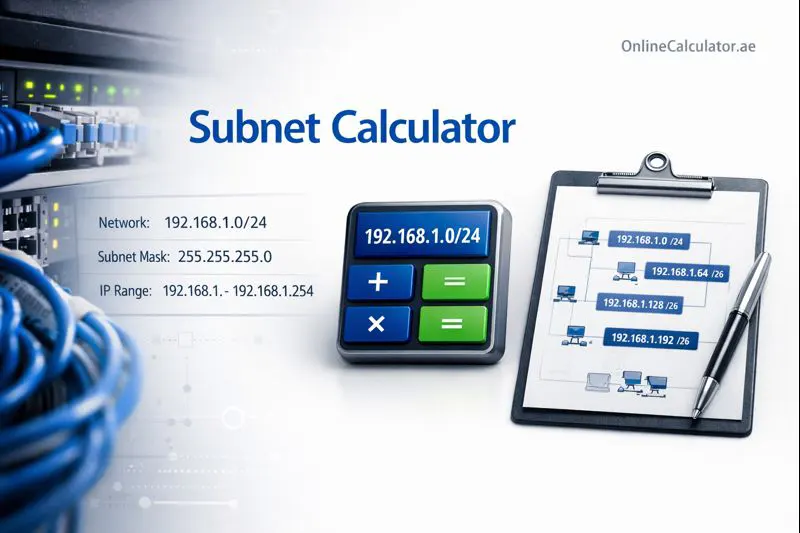
What Is a Subnet Calculator?
A is an essential networking tool that automates the complex mathematics of IP address subnetting. Instead of manually calculating binary conversions and network boundaries, you simply enter an IP address and CIDR notation (like /24) or subnet mask, and the calculator instantly provides all the information you need.
This tool calculates:
- – The starting address that identifies your subnet
- – The address used to communicate with all hosts in the subnet
- – The actual IP addresses you can assign to devices
- – Both dotted decimal (255.255.255.0) and CIDR notation (/24)
- – Essential for ACL configurations on Cisco devices
- Total Hosts – The complete number of addresses in your subnet
Network professionals at organizations like UAE's Telecommunications and Digital Government Regulatory Authority (TDRA) rely on accurate subnet calculations daily. Our calculator uses the same mathematical principles employed by enterprise routing equipment, ensuring your results match real-world network behavior.
ADVANCED SUBNET CALCULATOR - UAE For WordPress Elementor HTML Widget Copy and paste this entire code into an HTML widget
Binary Representation (Network Bits | Host Bits)
| 4 | 2 |
| 8 | 6 |
| 16 | 14 |
| 32 | 30 |
| 64 | 62 |
How Does Subnet Calculation Work?
Subnet calculation follows a precise mathematical process based on binary arithmetic. Here's what happens when you enter an IP address and subnet mask:
The CIDR Notation System
CIDR (Classless Inter-Domain Routing) notation uses a forward slash followed by a number (like /24) to indicate how many bits are reserved for the network portion of an IP address. An IPv4 address contains 32 bits total. A /24 network uses 24 bits for the network portion, leaving 8 bits for host addresses.
Step-by-Step Calculation Process
Step 1: Convert the IP address to binary. For example, 192.168.1.100 becomes 11000000.10101000.00000001.01100100
Step 2: Apply the subnet mask. A /24 mask (255.255.255.0) means the first 24 bits identify the network. The remaining 8 bits identify individual hosts.
Step 3: Calculate the network address by performing a bitwise AND operation between the IP address and subnet mask. This zeros out all host bits.
Step 4: Calculate the broadcast address by setting all host bits to 1.
Step 5: Determine usable hosts. The first address (network address) and last address (broadcast address) are reserved. So a /24 network has 256 total addresses but only 254 usable hosts.
The Formula
Usable hosts = 2(32-CIDR)
For a /24 network: 28 - 2 = 256 - 2 = 254 usable hosts
For a /28 network: 24 - 2 = 16 - 2 = 14 usable hosts
Important: The smallest usable subnet is /30, which provides exactly 2 host addresses – commonly used for point-to-point links between routers. A /31 subnet (2 addresses, 0 usable) and /32 subnet (1 address, single host) are special cases used in specific routing scenarios.
Example 1: Office Network in Dubai Internet City
Scenario: Ahmed is a network administrator at a tech startup in Dubai Internet City. He needs to set up a network for 50 workstations, 10 servers, and 15 IP phones. He's been assigned the IP block 10.50.100.0/24.
Input Values:
- IP Address: 10.50.100.0
- Subnet Mask: /24 (255.255.255.0)
Calculation Results:
- 10.50.100.0
- Broadcast Address: 10.50.100.255
- Usable IP Range: 10.50.100.1 – 10.50.100.254
- Total Usable Hosts:
- 0.0.0.255
Result: With 75 devices requiring IP addresses, Ahmed has plenty of room within his /24 allocation. He assigns 10.50.100.1-50 to workstations, 10.50.100.100-109 to servers, and 10.50.100.200-214 to IP phones, leaving addresses available for future growth.
Example 2: VLAN Segmentation for Abu Dhabi Data Center
Scenario: Fatima manages network infrastructure at a colocation facility on Yas Island. She needs to create four separate VLANs from the 172.16.0.0/22 block for different customer segments.
Input Values:
- IP Address: 172.16.0.0
- Original CIDR: /22 (1022 usable hosts)
- Required: 4 equal subnets
Calculation Results:
To divide a /22 into 4 equal subnets, Fatima needs to add 2 bits to the network portion (/22 + 2 = /24):
- Subnet 1 (VLAN 10): 172.16.0.0/24 – Hosts: 172.16.0.1 to 172.16.0.254
- Subnet 2 (VLAN 20): 172.16.1.0/24 – Hosts: 172.16.1.1 to 172.16.1.254
- Subnet 3 (VLAN 30): 172.16.2.0/24 – Hosts: 172.16.2.1 to 172.16.2.254
- Subnet 4 (VLAN 40): 172.16.3.0/24 – Hosts: 172.16.3.1 to 172.16.3.254
Result: Each VLAN receives 254 usable addresses, providing proper network segmentation and security isolation between customer environments.
Example 3: Point-to-Point Link Between Sharjah and Ajman Offices
Scenario: Khalid is configuring a dedicated WAN link connecting two branch offices. He only needs IP addresses for the router interfaces on each end.
Input Values:
- IP Address: 192.168.255.0
- Subnet Mask: /30 (point-to-point subnet)
Calculation Results:
- 192.168.255.0
- Broadcast Address: 192.168.255.3
- Usable IP Range: 192.168.255.1 – 192.168.255.2
- Total Usable Hosts: 2
Result: Khalid assigns 192.168.255.1 to the Sharjah router and 192.168.255.2 to the Ajman router. Using a /30 instead of a /24 conserves IP address space – particularly important when managing multiple WAN links.
Public vs Private IP Ranges
When planning your network, remember that certain IP ranges are reserved for private use and cannot be routed on the public internet:
- 10.0.0.0/8 – Class A private range (16,777,214 hosts)
- 172.16.0.0/12 – Class B private range (1,048,574 hosts)
- 192.168.0.0/16 – Class C private range (65,534 hosts)
UAE internet service providers like Etisalat and du assign public IP addresses from their allocated blocks. For internal networks, always use private IP ranges to avoid conflicts.
Common Subnet Planning Mistakes
Under-sizing subnets: Always plan for growth. If you need 50 hosts today, don't use a /26 (62 usable). Consider a /25 (126 usable) or /24 (254 usable) to accommodate future expansion.
Forgetting reserved addresses: The first and last addresses in any subnet cannot be assigned to devices. A /30 has 4 addresses but only 2 are usable.
Overlapping subnets: When creating multiple subnets, ensure address ranges don't overlap. Use this calculator to verify your subnets are contiguous but not overlapping.
Expert Tips
Document your IP address allocations thoroughly. Create a spreadsheet or use an IP Address Management (IPAM) tool to track which addresses are assigned, reserved, or available.
For cloud deployments on AWS, Azure, or Google Cloud in UAE regions, plan your VPC/VNet CIDR blocks carefully. These decisions are difficult to change once resources are deployed. If you're calculating cloud costs alongside network planning, explore our cloud infrastructure cost tools.
Start Calculating Your Subnets Now
Use the calculator above to plan your network infrastructure. Enter any IPv4 address with a CIDR prefix or subnet mask to instantly view network details, usable host ranges, and binary representations.
For enterprise network planning or regulatory compliance questions, consult the TDRA (Telecommunications and Digital Government Regulatory Authority) for UAE telecommunications guidelines. For technical standards, refer to RFC 791 from the Internet Engineering Task Force.
Built by Online Calculator UAE – trusted by IT professionals across Dubai, Abu Dhabi, Sharjah, and the entire Emirates.