 OnlineCalculator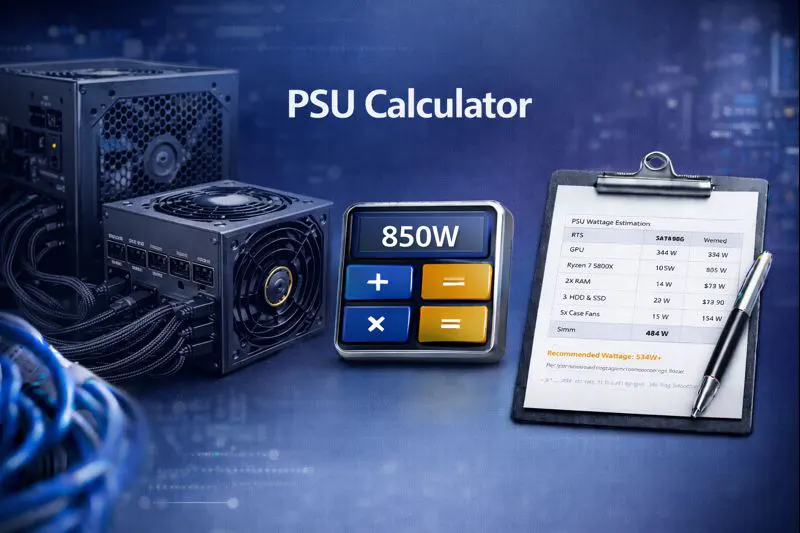
Whether you're assembling a budget office PC or a high-end RTX 5090 gaming rig, this tool eliminates guesswork and helps you choose a PSU that keeps your system running smoothly for years.
What Is a PSU Calculator and Why Do You Need One?
A power supply calculator estimates the total electrical power your computer requires based on each component you select. Every part of your PC—from the processor to case fans—draws electricity. Choosing an undersized PSU leads to system instability, random shutdowns, and potential hardware damage. An oversized unit wastes money and operates inefficiently.
Our PSU calculator helps you:
- Prevent system crashes – Ensure adequate power for demanding workloads and gaming sessions
- Protect expensive hardware – Avoid voltage fluctuations that damage GPUs and motherboards
- Save money – Purchase exactly the wattage you need without overspending
- Plan future upgrades – Factor in headroom for new components down the line
Modern graphics cards like the RTX 5090 can draw up to 575W alone, while high-performance CPUs like the Intel Core i9-14900K or AMD Ryzen 9 9950X add another 125-253W. Without proper calculation, you risk underpowering your system during peak loads. Explore more IT and technical calculators for your computing needs.
ADVANCED PSU CALCULATOR WIDGET Compatible with WordPress Elementor HTML Widget Copy and paste this entire code block into an HTML widget CPU Section 🖥️
0W GPU Section 🎮
0W RAM Section 💾 Storage Section 💿 Cooling Section ❄️
➕ Results Section 0W 0W 0W
0W 0W 0W 💡
How the PSU Wattage Calculator Works
Our calculator uses Thermal Design Power (TDP) values—the maximum power each component draws under full load—combined with a safety margin to deliver reliable recommendations.
The Calculation Method
The basic formula for determining PSU wattage is:
Recommended PSU Wattage = (CPU TDP + GPU TDP + RAM Power + Storage Power + Other Components) × Safety Multiplier
Here's how each element factors into your total:
CPU Power Consumption: Processors range from 65W for efficient models like the AMD Ryzen 5 7600X to 253W for enthusiast chips like the Intel Core Ultra 9 285K under maximum turbo. The calculator pulls TDP data from manufacturer specifications for accuracy.
GPU Power Draw: Graphics cards consume the most power in gaming systems. Entry-level cards like the GTX 1650 use around 75W, while flagship models like the NVIDIA RTX 5090 require 575W. Modern GPUs also experience transient power spikes—brief moments where draw exceeds rated TDP by 2-3x—which our calculator accounts for.
RAM and Storage: Each DDR5 stick draws approximately 3-5W, SATA SSDs consume 2-5W, and NVMe drives use 5-10W. HDDs require 6-15W depending on speed and size.
Peripherals and Cooling: Case fans add 2-5W each, AIO liquid coolers draw 15-25W, and RGB lighting systems consume 5-15W collectively.
The Safety Buffer
We apply a 20-30% safety margin to your calculated total. This buffer ensures your PSU operates at 50-80% capacity—the optimal efficiency range for power supplies. Running a PSU near maximum capacity generates excess heat, reduces lifespan, and leaves no headroom for power spikes.
For high-end builds with RTX 4090 or RTX 5090 graphics cards, we recommend additional headroom due to their significant transient spikes that can momentarily draw far beyond rated TDP. If you're building a server or workstation, our server configuration calculator provides additional guidance.
PSU Calculation Examples for Different PC Builds
Let's walk through three real-world scenarios to demonstrate how the calculator works:
Example 1: Budget Gaming PC (1080p Gaming)
Scenario: Ahmed is building his first gaming PC in Dubai for casual gaming at 1080p resolution.
Components:
- CPU: AMD Ryzen 5 7600 – 65W TDP
- GPU: NVIDIA RTX 4060 – 115W TDP
- RAM: 16GB DDR5 (2 sticks) –
- Storage: 1TB NVMe SSD – 8W
- Case fans (3 units) – 9W
Calculation:
Base power: 65W + 115W + 10W + 8W + 9W = 207W
With 25% safety margin: 207W × 1.25 = 259W
Recommendation: A 450W-550W power supply provides excellent headroom for this build and allows future GPU upgrades. Ahmed should look for an 80 Plus Bronze or Gold rated unit.
Example 2: Mid-Range Content Creation Workstation
Scenario: Sarah works as a video editor and needs a capable machine for 4K editing and light 3D rendering.
Components:
- CPU: Intel Core i7-14700K – 125W base / 253W turbo
- GPU: NVIDIA RTX 4070 Ti Super – 285W TDP
- RAM: 64GB DDR5 (4 sticks) –
- Storage: 2TB NVMe + 4TB HDD – 23W
- AIO CPU cooler –
- Case fans (5 units) –
Calculation:
Base power (using turbo TDP): 253W + 285W + 20W + 23W + 20W + 15W = 616W
With 25% safety margin: 616W × 1.25 = 770W
Recommendation: An 850W power supply with 80 Plus Gold rating gives Sarah reliable performance with room for upgrades. This capacity handles sustained rendering workloads without stress. For cloud-based rendering alternatives, check our cloud computing cost estimator.
Example 3: High-End 4K Gaming Build
Scenario: Mohammed is building an ultimate gaming rig with the latest hardware for 4K gaming with ray tracing.
Components:
- CPU: AMD Ryzen 9 9950X – 170W TDP
- GPU: NVIDIA RTX 5090 – 575W TDP
- RAM: 64GB DDR5 (2x32GB) –
- Storage: 2TB Gen5 NVMe + 2TB Gen4 NVMe –
- Custom loop cooling (pump + fans) –
- RGB lighting system –
Calculation:
Base power: 170W + 575W + 10W + 20W + 45W + 15W = 835W
With 30% safety margin (higher for flagship GPU): 835W × 1.30 = 1,086W
Recommendation: Mohammed needs a 1200W-1500W power supply with ATX 3.1 certification and native 12V-2×6 connector. The RTX 5090 experiences significant transient spikes, so a Platinum or Titanium rated PSU ensures stability during intense gaming. Users interested in checking component compatibility should explore our PC bottleneck analyzer.
80 Plus Efficiency Ratings Explained
80 Plus certification measures how efficiently a PSU converts AC power from your wall outlet to DC power for your components. Higher ratings mean less wasted electricity and lower heat output:
- 80 Plus White: 80% efficiency – Entry-level, budget builds
- 80 Plus Bronze: 82-85% efficiency – Good value for most users
- 80 Plus Gold: 87-90% efficiency – Recommended for gaming PCs
- 80 Plus Platinum: 90-92% efficiency – Workstations and enthusiast builds
- 80 Plus Titanium: 94%+ efficiency – Premium choice for high-end systems
For a system consuming 500W, a Bronze-rated PSU wastes approximately 75-90W as heat, while a Titanium unit wastes only . Over years of use, this difference impacts electricity costs significantly.
ATX 3.1 Standard and the 12V-2×6 Connector
NVIDIA's RTX 40 and 50 series graphics cards introduced the 12V-2×6 power connector, replacing the problematic 12VHPWR design. If you're building with a modern high-end GPU, ensure your PSU is ATX 3.1 compliant with native 12V-2×6 cable support rated for 600W or higher.
Using adapters from older PSUs increases the risk of melted cables and connector failures. Native connectors handle transient power spikes safely.
Common Mistakes to Avoid
- Ignoring power spikes: Modern GPUs can spike 2-3× their rated TDP for milliseconds—cheap PSUs struggle with these transients
- Buying unknown brands: A failing PSU can destroy your entire system—stick with reputable manufacturers like Corsair, Seasonic, EVGA, or be quiet!
- Forgetting overclocking headroom: If you plan to overclock your CPU or GPU, add an extra 100-200W to your calculation
- Miscounting storage drives: Multiple HDDs in RAID configurations draw significant power—each drive needs proper accounting
For complex storage setups, our RAID configuration tool helps plan drive arrays properly.
Calculate Your Perfect PSU Today
Ready to find the ideal power supply for your build? Use our free above—simply select your components and receive instant recommendations tailored to your specific configuration.
For comprehensive hardware planning, explore the complete suite of tools at Online Calculator UAE. Whether you're pricing cloud infrastructure, calculating network bandwidth, or analyzing storage requirements, we've got you covered.
Building a reliable PC starts with stable power delivery. Don't compromise on your PSU—use accurate calculations and invest in quality.