 OnlineCalculator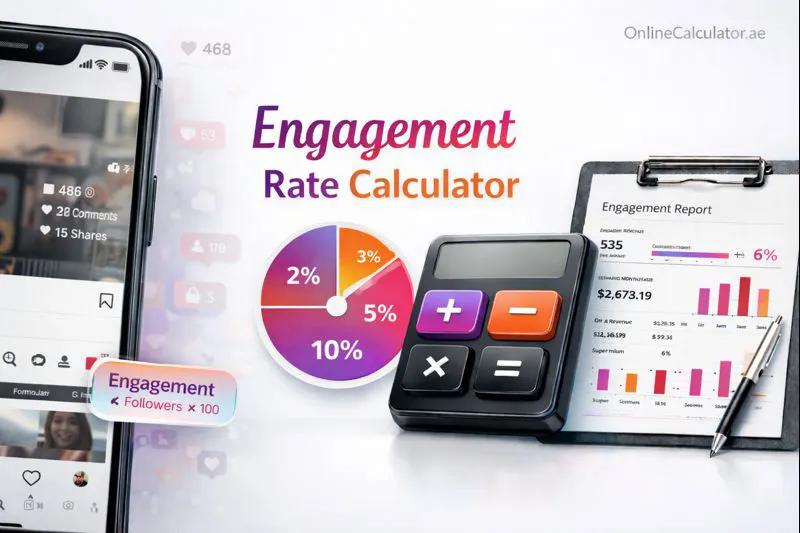
What Is an Engagement Rate Calculator?
An engagement rate calculator measures how actively your audience interacts with your content relative to your follower count or reach. Instead of manually crunching numbers from each post, this tool processes your likes, comments, shares, and views in seconds — and returns a clear percentage you can benchmark against industry standards.
Here's what makes this tool worth bookmarking:
- Multi-platform support — works for Instagram, TikTok, YouTube, X, and Facebook.
- Multiple calculation methods — choose between follower-based, reach-based, or impression-based formulas.
- Instant benchmarking — see how your rate compares to platform averages at a glance.
- Completely free — no sign-ups, no hidden limits, no data stored.
Whether you're a Dubai-based fashion influencer tracking your latest Reel or a marketing agency in DIFC reporting campaign results to a client, accurate engagement data is the foundation of every smart social media decision. For more tools like this, explore the full suite at Online Calculator UAE.
ENGAGEMENT RATE CALCULATOR WIDGET For WordPress Elementor HTML Widget Paste this entire code into an Elementor "Custom HTML" widget Input Card Results Card ✓ 0%
The Core Formula
The most widely used engagement rate formula divides total engagements by total followers, then multiplies by 100:
Engagement Rate (%) = (Total Engagements ÷ Total Followers) × 100
"Total engagements" typically includes likes, comments, shares, and saves. Some platforms add additional signals — for example, TikTok counts video shares and duets, while YouTube factors in likes, comments, and subscriber interactions.
Alternative Methods
The follower-based formula is the default, but it isn't always the most accurate. Here are two other approaches our calculator supports:
- Reach-based engagement rate = (Total Engagements ÷ Reach) × 100. Best for sponsored posts where you have access to reach metrics. This eliminates ghost followers from the equation.
- Impression-based engagement rate = (Total Engagements ÷ Impressions) × 100. Useful when content is shown multiple times to the same users (e.g., Stories or Reels).
Step-by-Step Breakdown
- Select your platform — Instagram, TikTok, YouTube, X, or Facebook.
- Choose the calculation method — follower-based, reach-based, or impression-based.
- — follower count, likes, comments, shares, and (optionally) saves, reach, or impressions.
- Hit Calculate — your engagement rate, benchmark comparison, and rating appear instantly.
Important Notes
Engagement rates vary significantly by platform and account size. A 3% rate on Instagram is considered solid for accounts over 100K, while the same rate on TikTok would be below average. Our calculator adjusts benchmarks per platform so your rating is always contextual. Also keep in mind that a single viral post can skew averages — calculating across multiple posts gives a more reliable picture.
Example 1: Dubai Lifestyle Influencer on Instagram
Sara runs a lifestyle and food account based in Dubai Marina with 45,000 followers. Her latest carousel post received 1,620 likes, 84 comments, and 37 saves.
- Total Engagements = 1,620 + 84 + 37 = 1,741
- Engagement Rate = (1,741 ÷ 45,000) × 100 = 3.87%
Sara's rate falls in the "Good" range for Instagram accounts her size (the platform average hovers around 1.5–3% for mid-tier creators). Her content resonates well — she could confidently share this metric with brands considering collaborations. If she wants to explore potential Instagram performance insights, she can dig deeper into post-by-post data.
Example 2: Small Business on TikTok
Aroma Café, a specialty coffee shop on Yas Island, Abu Dhabi, uses TikTok to showcase latte art and behind-the-scenes clips. They have 8,200 followers. A recent video earned 12,400 views, 890 likes, 42 comments, and 115 shares.
- Total Engagements = 890 + 42 + 115 = 1,047
- Follower-based Engagement Rate = (1,047 ÷ 8,200) × 100 = 12.77%
This is an rate. TikTok's algorithm rewards engaging content regardless of follower count, so smaller accounts often see higher percentages. Aroma Café's video clearly struck a chord. They could use a TikTok revenue estimator to see if monetization is viable.
Example 3: Corporate Brand Page on LinkedIn/Facebook (Low Engagement Scenario)
Gulf Logistics Group, a freight company headquartered in Jebel Ali, maintains a Facebook page with 120,000 followers. Their latest industry report post received 340 likes, 18 comments, and 12 shares.
- Total Engagements = 340 + 18 + 12 = 370
- Engagement Rate = (370 ÷ 120,000) × 100 = 0.31%
A rate of 0.31% looks low, but it's actually near the Facebook page average of 0.06–0.50% for large accounts. Facebook's organic reach has dropped sharply in recent years, making this a typical result for B2B pages. Rather than panicking, the team should focus on content formats that encourage shares — video, polls, and employee-generated content tend to outperform static posts. They might also benefit from reviewing their broader social media analytics strategy.
Platform-Specific Nuances
Not all engagements are equal. A "save" on Instagram signals strong intent, while a "like" is lower effort. YouTube's engagement calculation often factors in watch time and subscriber-to-view ratios alongside likes and comments. When comparing rates across platforms, make sure you're using the same formula — or our calculator handles the adjustment for you.
Account Size Matters
Nano-influencers (1K–10K followers) typically see engagement rates of 4–8% on Instagram, while mega-accounts (1M+) often hover below 1.5%. This inverse relationship is normal — larger audiences are naturally less concentrated in their interactions. Always benchmark against accounts of similar size.
Common Mistakes to Avoid
- Counting paid engagements alongside organic — this inflates your true organic rate. Separate the two in your reports.
- Measuring a single post — one viral post or one flop doesn't define your engagement. Average across your last 10–20 posts for a reliable number.
- Ignoring negative signals — a post with many comments but mostly complaints still shows a high engagement rate. Quality matters alongside quantity.
- Forgetting Stories and Reels — many creators only measure feed posts and miss the engagement happening in ephemeral content.
Expert Tips
Track your engagement rate weekly rather than daily. Weekly snapshots smooth out the noise from individual post fluctuations and give you a clearer trend line. If you're running influencer campaigns in the UAE market, consider asking creators for reach-based engagement rates — they're harder to fake than follower-based metrics.
Start Measuring Your Engagement Now
Scroll up and plug your numbers into the calculator — it takes less than 30 seconds. Whether you're a creator building your personal brand, a UAE-based agency managing multiple accounts, or a business tracking campaign ROI, knowing your engagement rate is the first step toward smarter social media decisions.
For additional tools covering everything from live streaming analytics to X platform monetization estimates, explore the full social media tools collection.