 OnlineCalculator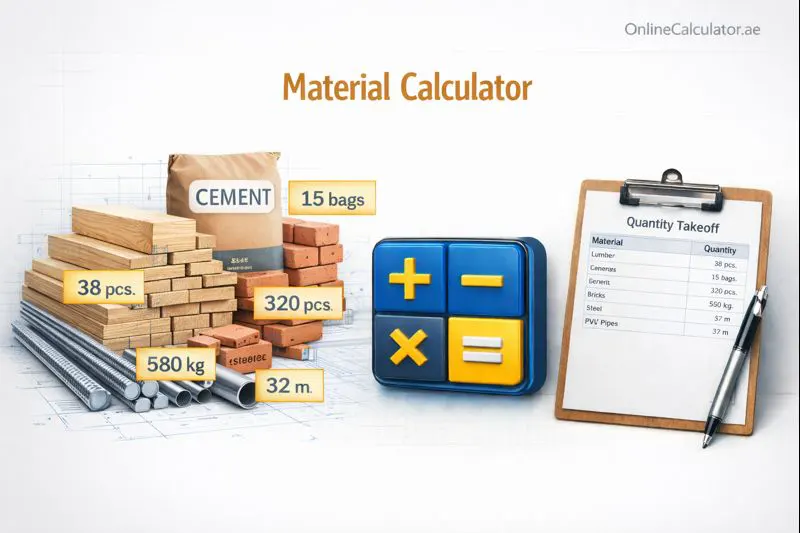
Planning a build and unsure how much cement, sand, or steel you actually need? This free material calculator gives contractors, engineers, homeowners, and DIY builders precise quantity estimates in seconds. Stop over-ordering supplies and start every project with a clear, reliable material breakdown — whether you're working on a villa in Dubai, a warehouse in Jebel Ali, or a renovation anywhere in the world.
What Does the Material Calculator Do?
The material calculator takes your project dimensions — length, width, thickness, and area — and converts them into actionable material quantities. Instead of manually crunching numbers or relying on rough guesses, you get a detailed bill of materials tailored to your specific job.
Here's what makes this tool valuable:
- Covers multiple material types: Concrete (cement, sand, gravel), bricks, paint, tiles, and steel reinforcement — all in one place.
- Reduces waste and overspending: Accurate estimates mean you order exactly what you need, cutting surplus costs by up to 15–20%.
- Supports metric and imperial units: Work in meters, feet, or centimeters — the calculator handles the conversion.
- Instant results with cost estimation: Get quantities plus an approximate cost range based on current market rates.
Whether you're a project manager submitting a tender in Abu Dhabi or a homeowner planning a backyard extension in Sharjah, this calculator delivers the numbers you need. For more tools like this, explore our full suite at computation tools for everyday needs.
═══════════════════════════════════════════════════ ADVANCED MATERIAL CALCULATOR WIDGET For WordPress Elementor → HTML Widget Version: 2.0 | 2026 ═══════════════════════════════════════════════════ Material Tabs CONCRETE FORM BRICKS FORM PAINT FORM TILES FORM STEEL FORM Buttons Populated by JS
Calculation Methodology
The calculator uses standard civil engineering formulas endorsed by construction authorities worldwide. Each material type follows its own formula based on the work you're doing.
For concrete work (slabs, foundations, columns):
The tool first calculates the total volume of concrete needed using the formula:
Volume = Length × Width × Thickness (in meters)
It then breaks this volume into individual material quantities using standard mix ratios. For a common M20 grade mix (1:1.5:3), the ratio means 1 part cement, 1.5 parts sand, and 3 parts coarse aggregate (gravel). Adding a 54% dry volume factor accounts for the air voids that disappear when materials are mixed with water.
For brickwork:
The calculator uses wall area minus openings (doors, windows), then divides by the face area of a standard brick plus mortar thickness. A standard brick in the UAE measures 230mm × 110mm × 75mm, and the typical mortar joint is 10mm.
For painting:
Wall area is calculated as perimeter × height, minus window and door areas. The total is then divided by the paint's coverage rate — typically 10–12 m² per litre for a single coat — and multiplied by the number of coats (usually two).
Step-by-Step Breakdown
- Select your material type — concrete, bricks, paint, tiles, or steel.
- Enter your project dimensions — length, width, height, and thickness as required.
- Choose the mix grade or specification — for concrete, pick between M15, M20, or M25 mixes.
- Review the results — the calculator displays individual material quantities, total volume, and estimated costs.
Important note: Always add a 5–10% wastage buffer to your calculated quantities. Site conditions, cutting waste, and spillage are unavoidable realities on every construction project.
Example 1: Concrete Slab for a Villa Garage in Dubai
Scenario: Ahmed is building a single-car garage at his villa near Dubai Marina. The slab dimensions are 6m × 3m × 0.15m (150mm thick), using an M20 mix.
Calculation:
- Wet volume = 6 × 3 × 0.15 = 2.7 m³
- Dry volume (×1.54) = 2.7 × 1.54 = 4.158 m³
- Cement (1/5.5 × 4.158) = 0.756 m³ → 0.756 × 28.8 = 21.77 bags (50 kg each) → ≈ 22 bags
- Sand (1.5/5.5 × 4.158) = 1.134 m³
- Gravel (3/5.5 × 4.158) = 2.268 m³
Estimated cost (UAE rates): Cement at ~AED 14/bag, sand at ~AED 90/m³, gravel at ~AED 75/m³ → Total material cost ≈ AED 680. With the 10% waste buffer, Ahmed should budget around AED 750 for raw materials.
Example 2: Boundary Wall Brickwork in Sharjah
Scenario: Fatima needs a 10m long × 2.4m high boundary wall for her property in Al Nahda, Sharjah. The wall uses standard bricks with 10mm mortar joints and has one gate opening of 1.2m × 2.1m.
Calculation:
- Gross wall area = 10 × 2.4 = 24 m²
- Gate opening area = 1.2 × 2.1 = 2.52 m²
- Net wall area = 24 − 2.52 = 21.48 m²
- Bricks per m² (with mortar) = approx. 55 bricks
- Total bricks needed = 21.48 × 55 = 1,181 bricks
- With 7% wastage = 1,181 × 1.07 = ≈ 1,264 bricks
Result: Fatima should order approximately 1,264 standard bricks. At an average price of AED 0.50–0.70/brick, the brick cost alone runs between AED 632–885.
Example 3: Interior Painting for an Apartment in Abu Dhabi
Scenario: Khalid is repainting his two-bedroom apartment on Yas Island. The total wall area (after subtracting doors and windows) is 185 m². He wants two coats of premium emulsion paint.
Calculation:
- Paintable area = 185 m²
- Coverage per litre (premium emulsion) = 11 m²/litre per coat
- Paint for one coat = 185 ÷ 11 = 16.82 litres
- Paint for two coats = 16.82 × 2 = 33.64 litres
- With 10% buffer = ≈ 37 litres
Result: Khalid needs approximately 37 litres of paint. A 20-litre bucket of premium emulsion typically costs AED 180–280, so he'd need two buckets — budgeting around AED 360–560 for paint.
UAE-Specific Considerations
If your project is located in the UAE, all construction materials must comply with Emirates Authority for Standardization and Metrology (ESMA) standards. Cement, steel, and aggregates sold in the country carry mandatory conformity marks. Always purchase from licensed suppliers to ensure your materials meet the required specifications.
For projects requiring municipality approval in Dubai, the Dubai Municipality requires detailed material quantity sheets as part of the building permit submission. Accurate calculations from this tool can support that documentation.
Common Mistakes to Avoid
- Forgetting the wastage factor: Raw calculations assume zero loss. Real-world sites always have cutting waste, spillage, and handling damage. Add 5–10% for most materials and up to 15% for tiles and glass.
- Using the wrong mix ratio: An M15 mix uses less cement than M25. Selecting the wrong grade can mean under-ordering cement by 20% or more.
- Ignoring openings: Not subtracting doors, windows, and ventilation openings from wall areas inflates your brick and paint estimates significantly.
- Mixing unit systems: Entering feet when the calculator expects meters — or vice versa — will produce wildly wrong results. Double-check your units.
Expert Tips
Order all materials from one supplier where possible to negotiate bulk discounts — especially for large residential or commercial builds. In the UAE, suppliers in Al Quoz Industrial Area (Dubai)Mussafah (Abu Dhabi) often offer competitive rates for bulk orders. Also, schedule deliveries in stages to reduce on-site storage costs and material degradation from humidity and heat exposure.
Start Calculating Your Materials Now
Scroll up and enter your project dimensions to get an instant, detailed material breakdown. Whether you're pricing a small renovation or planning a multi-storey build, accurate quantities save you money and prevent delays. For additional computation tools — from UAE-focused calculators to fun quizzes and entertainment tools — browse our full library. Every calculation is processed locally in your browser with no data stored or shared.