 OnlineCalculator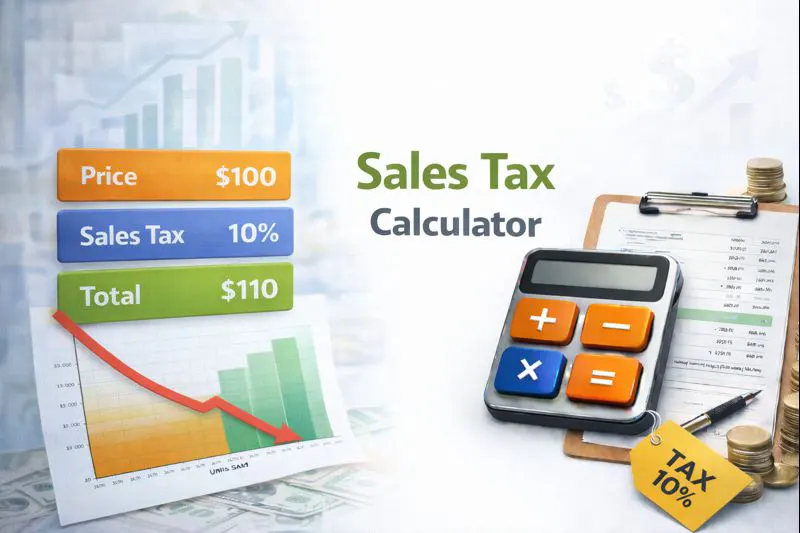
What Is a Sales Tax Calculator?
A sales tax calculator helps you determine the exact amount of tax added to a purchase based on the applicable rate. Sales tax, VAT (Value Added Tax), and GST (Goods and Services Tax) are consumption taxes applied to goods and services in most countries worldwide.
This tool makes tax calculations simple and eliminates manual errors. Here's what you can do:
- Calculate tax from net price – Enter the pre-tax amount and get the total including tax
- Extract tax from gross price – Find out how much tax is included in a total price
- Access 100+ country rates – Use preset rates for popular countries or enter custom percentages
- Handle multiple currencies – Results work regardless of your local currency
Trusted by online sellers, accountants, and shoppers worldwide, this calculator uses current tax rates updated for 2025. For UAE residents, keep in mind the standard 5% VAT rate applies to most goods and services, making calculations straightforward for local purchases.
ADVANCED SALES TAX CALCULATOR WIDGET For WordPress Elementor HTML Widget Copy all code below and paste into an HTML widget
$
%
How the Sales Tax Calculator Works
Understanding sales tax calculations is essential for accurate pricing and budgeting. The calculator uses two primary formulas depending on whether you need to add tax to a price or extract tax from a total.
Adding Tax to a Price (Tax-Exclusive)
When you know the net price (before tax) and need to find the total:
Tax Amount = Net Price × (Tax Rate ÷ 100)
Total Price = Net Price + Tax Amount
For example, if an item costs $100 and the tax rate is :
- Tax Amount = $100 × 0.10 = $10
- Total Price = $100 + $10 = $110
Extracting Tax from a Total (Tax-Inclusive)
When you have the gross price (including tax) and need to find the original price and tax amount:
Net Price = Gross Price ÷ (1 + Tax Rate ÷ 100)
Tax Amount = Gross Price − Net Price
For a total of $110 with tax included:
- Net Price = $110 ÷ 1.10 = $100
- Tax Amount = $110 − $100 = $10
Important Considerations
Tax rates vary significantly by location. Hungary has the highest VAT at , while countries like the UAE have just 5%. Some jurisdictions like Hong Kong and certain US states have 0% sales tax. Always verify the current rate for your specific location, as rates can change with new legislation.
Example 1: E-commerce Seller Pricing Products for the UK Market
Sarah runs an online store from Dubai Marina and ships products to the United Kingdom. She needs to price a handbag that costs her £45 to source, and she wants to achieve a £30 profit margin. The UK VAT rate is .
Step-by-step calculation:
- Net selling price = £45 (cost) + £30 (profit) = £75
- VAT amount = £75 × 0.20 = £15
- Final customer price = £75 + £15 = £90
Sarah should list the handbag at £90 including VAT on her UK-facing website. She can use a gross margin tool to verify her profit percentage remains healthy.
Example 2: Tourist Shopping in Hungary
Ahmed from Abu Dhabi is shopping in Budapest, Hungary, where the VAT rate is (the highest in the world). He wants to buy electronics priced at €500 tax-inclusive and needs to know the actual product value for customs declaration.
Step-by-step calculation:
- Net price = €500 ÷ (1 + 0.27) = €500 ÷ 1.27 = €393.70
- VAT included = €500 − €393.70 = €106.30
The product's actual value is €393.70, with €106.30 being the VAT. Ahmed may be eligible for a VAT refund when leaving the EU if he obtains the proper documentation.
Example 3: US Business Handling Multi-State Sales Tax
A software company based in DIFC sells to customers across the United States. They need to calculate tax for a $299 subscription sold to a customer in Tennessee, which has a combined state and local rate of approximately .
Step-by-step calculation:
- Tax amount = $299 × 0.0961 = $28.73
- Total charge = $299 + $28.73 = $327.73
The customer pays $327.73 total. Businesses selling to multiple US states often use accounting software to track varying rates. Knowing your total revenue figures helps with proper tax reporting.
Understanding Different Tax Types
is typically charged only at the final point of sale to consumers. This system is common in the United States, where rates vary by state, county, and city.
VAT (Value Added Tax) is applied at each stage of production and distribution, with businesses claiming back the VAT they've paid on inputs. Most European, Asian, and Middle Eastern countries use VAT systems.
GST (Goods and Services Tax) functions similarly to VAT and is used in countries like Australia, Canada, India, and Singapore.
Common Mistakes to Avoid
- Using outdated rates – Tax rates change frequently. Always verify current rates before major transactions
- Forgetting compound taxes – Some jurisdictions have multiple tax layers (state + local)
- Mixing inclusive and exclusive prices – Know whether quoted prices include or exclude tax
- Ignoring exemptions – Many countries exempt essential items like groceries, medicine, or children's clothing
UAE-Specific Notes
The UAE implemented in January 2018, administered by the Federal Tax Authority (FTA). Essential goods like basic food items, healthcare, and education services are either zero-rated or exempt. Businesses exceeding AED 375,000 in taxable supplies must register for VAT.
Start Calculating Your Sales Tax
Use the calculator above to instantly determine tax amounts for any purchase or sale. Whether you're pricing products for your e-commerce business, calculating expenses for travel, or verifying charges on receipts, accurate tax calculations help you make informed financial decisions.
For official tax guidance in the UAE, visit the Federal Tax Authority. For international VAT information, the European Commission maintains comprehensive rate databases for EU member states.
This calculator is provided for informational purposes. For tax compliance or legal matters, always consult a qualified tax professional.